How to check that your test lab is still CPSC-accepted
A children’s product certificate is only as good as the lab behind it. Labs can be suspended or withdrawn, and their acceptance covers specific tests only. Here is a five-minute check.
Published 3 November 2026 · last reviewed 3 November 2026
Short answer
Short answer: Find the CPSC lab ID on your test report, search it on CPSC’s public list of accepted testing laboratories, and confirm three things: the status is “accepted”, the lab’s scope covers every rule you certify to, and your test date falls within that acceptance. If the lab was withdrawn, as three labs in China were in early 2026, plan retesting at another accepted lab before your next shipment.
Why the lab matters
For children’s products, the certificate must be based on testing by a third-party lab that CPSC has accepted for the specific test methods involved, and the certificate data includes that lab’s details. Since eFiling became mandatory on 8 July 2026, that data travels with every entry, so a lab problem is now visible on every shipment.
CPSC acceptance is not permanent. Labs can be suspended or withdrawn. CPSC’s list of labs with adverse action (as of 1 May 2026) shows three labs in China withdrawn in 2026: lab IDs 1755 and 1857 were first withdrawn on 8 January 2026, and CPSC issued Final Notices permanently withdrawing acceptance for 1843 and 1857 on 27 January 2026 and for 1755 on 12 March 2026. Certificates relying on those labs need a new basis.
The five-minute check
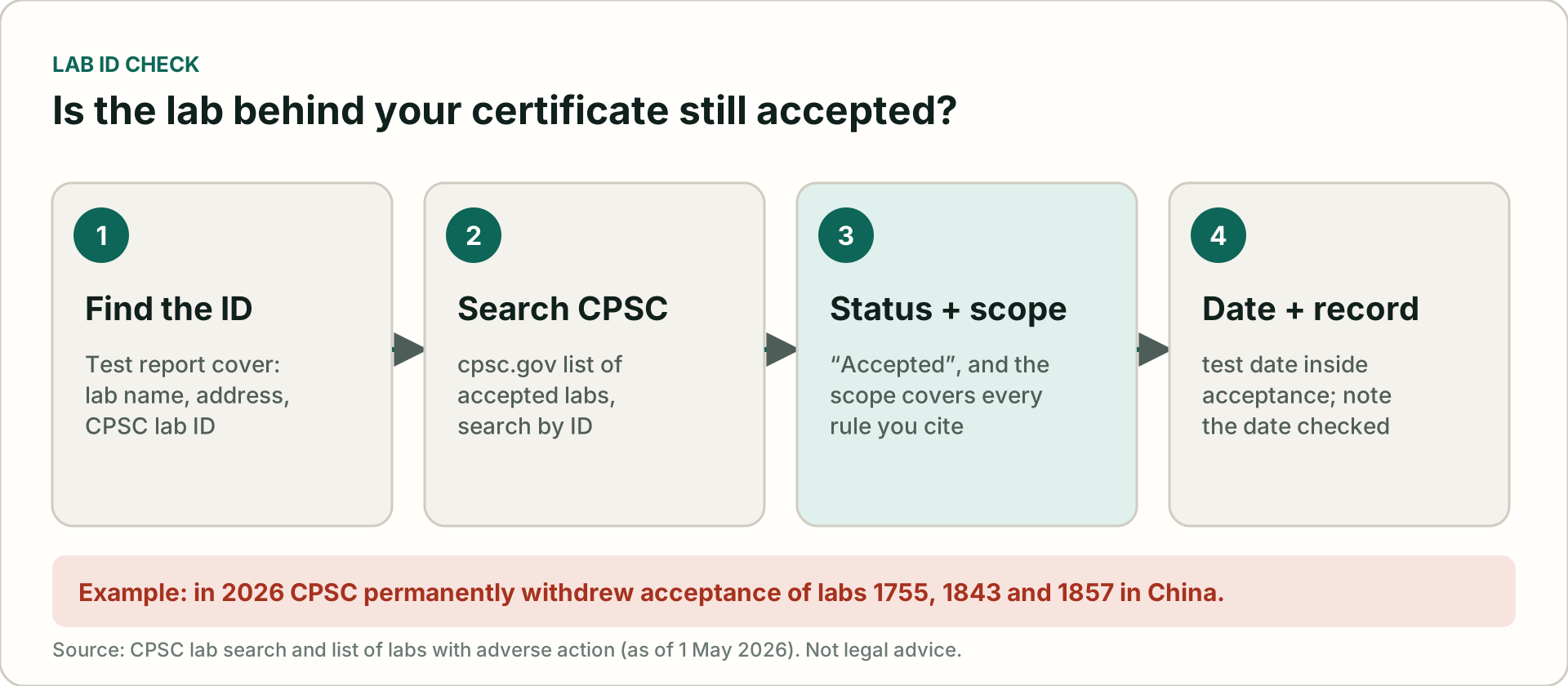
- Find the lab ID on the report cover (see the next section).
- Search CPSC’s list. Open the CPSC list of accepted testing laboratories and search by the lab ID or name.
- Check status and scope. The status should read accepted. Open the lab’s scope and confirm each rule on your certificate (for example 16 CFR 1303 lead paint or ASTM F963 for toys) is listed.
- Check the dates. The test should have been done while the lab was accepted for that scope.
- Record it. Note the date you checked in your SKU sheet. It is a simple, defensible audit trail.
Faster: paste your lab IDs and the rules you cite into our free CPSC lab ID checker. It flags withdrawn labs, unknown IDs and rules outside a lab’s accepted scope, using CPSC’s list with its download date shown. It runs in your browser.
Where to find the lab ID on a test report
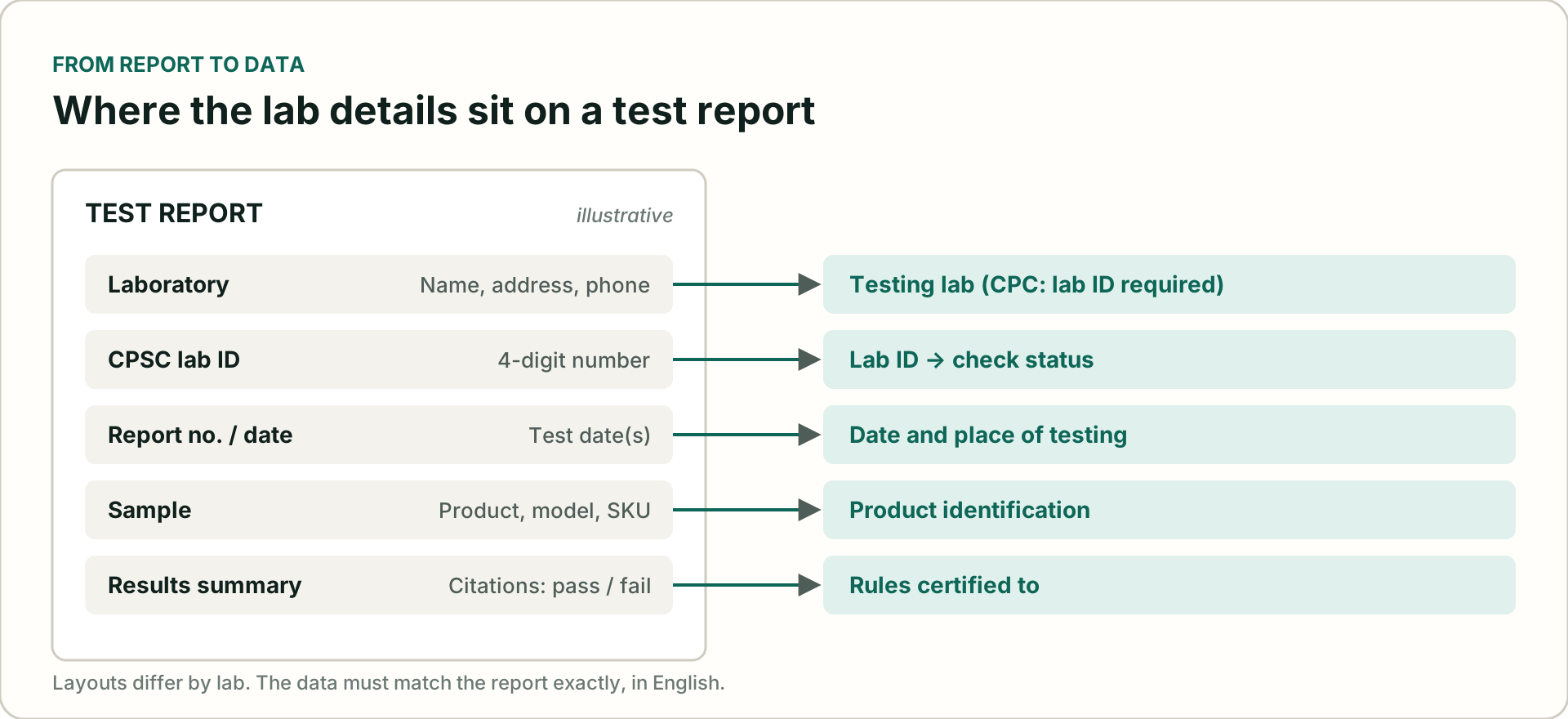
The lab ID is a short number, usually printed near the lab’s name on the cover page or the first page of the report. If it is missing, ask the lab or your supplier for it in writing; do not guess from the lab’s name, because large groups operate several facilities with different IDs and scopes.
The same report gives you the test date and place, the product identification and the rules tested, which are other eFiling data elements. Copy them exactly, in English.
If your lab was withdrawn or the scope does not match
- Stop relying on the affected reports for new certificates until you have a valid basis.
- Retest at a currently accepted lab whose scope covers the rules, and issue a new certificate version.
- Update the Product Registry record with a new version if you use reference filing, so future entries carry the new data.
- Tell your customs broker which SKUs are affected, so entries are not filed with outdated certificate data.
- Get advice from your compliance counsel on goods already imported.
Make it a routine
Check every lab when a new test report arrives, and re-check all active labs on a schedule, for example monthly, and whenever CPSC announces a suspension or withdrawal. Keep the date of each check next to the lab ID in your data sheet. Our free certificate data checker flags missing or badly formatted lab fields across up to 1,000 SKUs in your browser.
Questions importers ask
What is a CPSC lab ID?
It is the identification number CPSC gives each third-party testing laboratory it has accepted. It appears on CPSC’s public list of accepted labs and usually on the lab’s test reports.
Which labs did CPSC withdraw in 2026?
CPSC’s adverse-action list shows Final Notices for lab IDs 1843 and 1857 (27 January 2026) and 1755 (12 March 2026); 1755 and 1857 were first withdrawn on 8 January 2026. Older withdrawals include 1415 and 1606.
Does a general use product need a CPSC-accepted lab?
Third-party testing by a CPSC-accepted lab is required for children’s products. General use products need a certificate based on a test of each product or a reasonable testing program, which does not have to be done by a CPSC-accepted lab.
What if my lab’s scope does not include a rule I cite?
That test cannot support a children’s product certificate for that rule. Retest at a lab accepted for that scope and update the certificate.
A plain-language guide, not legal advice and not an official CPSC publication. eFiling Ready is not affiliated with CPSC or CBP. Always confirm requirements with CPSC and your customs broker.
Not sure your labs and certificates line up?
A Quick Check reviews up to 10 SKUs against your certificates and test reports, including the lab details, and gives every SKU a status, the source page and a next step. $290, next business day.